BIM Quantity Take-off, Cost Estimation & Clash Detection

BIM Quantity Take-off, Cost Estimation & Clash Detection

From Model-Based Cost Intelligence to Clash-Free Construction - All in One Workflow. 


Accurate quantities. Reliable budgets. Zero construction conflicts. 


At nCircle Tech, we transform your BIM models into actionable project intelligence. Our integrated workflow extracts precise quantities directly from the model, feeds them into cost estimation and budgeting, and runs multi-discipline clash detection - ensuring you go to site with accurate budgets and fully coordinated, conflict-free designs. 


Three Services. One Integrated BIM Workflow.

Quantity Take-off

Extract accurate material and element quantities directly from your BIM model — by discipline, LOD, and scope — for procurement, estimation, and tendering.

Cost Estimation (5D BIM)

Link model quantities to real cost data for live budget tracking, change-order impact analysis, and BOQ generation — at every project stage

Clash Detection & Coordination

Identify and resolve hard clashes, soft clashes, and workflow conflicts across all disciplines before construction begins — digitally, not on-site

BIM-Based Quantity Take-off (QTO) -Eliminate manual measurement. Extract quantities directly from the model — faster, more accurate, and fully auditable.

What Is Model-Based QTO? Traditional quantity take-off relies on manually counting and measuring from 2D drawings — a time-consuming process prone to human error and revision churn. BIM-based QTO extracts quantities automatically from the 3D model, with every element tagged with type, material, dimensions, and specification data. When the design changes, quantities update instantly. The result: faster tendering, more accurate procurement, and fewer budget surprises on site.

  • Bill of Quantities (BOQ) — Structured, tendering-ready material and labour schedules
  • Material take-off schedules — Itemised lists by type, grade, and specification
  • Room-by-room & zone-based QTO — Granular breakdowns for phased procurement
  • Revision-tracked QTO — Quantities auto-updated when model changes — delta reports on demand
  • Export formats — Excel, CSV, NBS, CostX, Candy-compatible outputs

BIM Clash Detection & Multi-Discipline Coordination

Resolve construction conflicts digitally — before a single element is installed on site.


What Is Clash Detection in BIM?


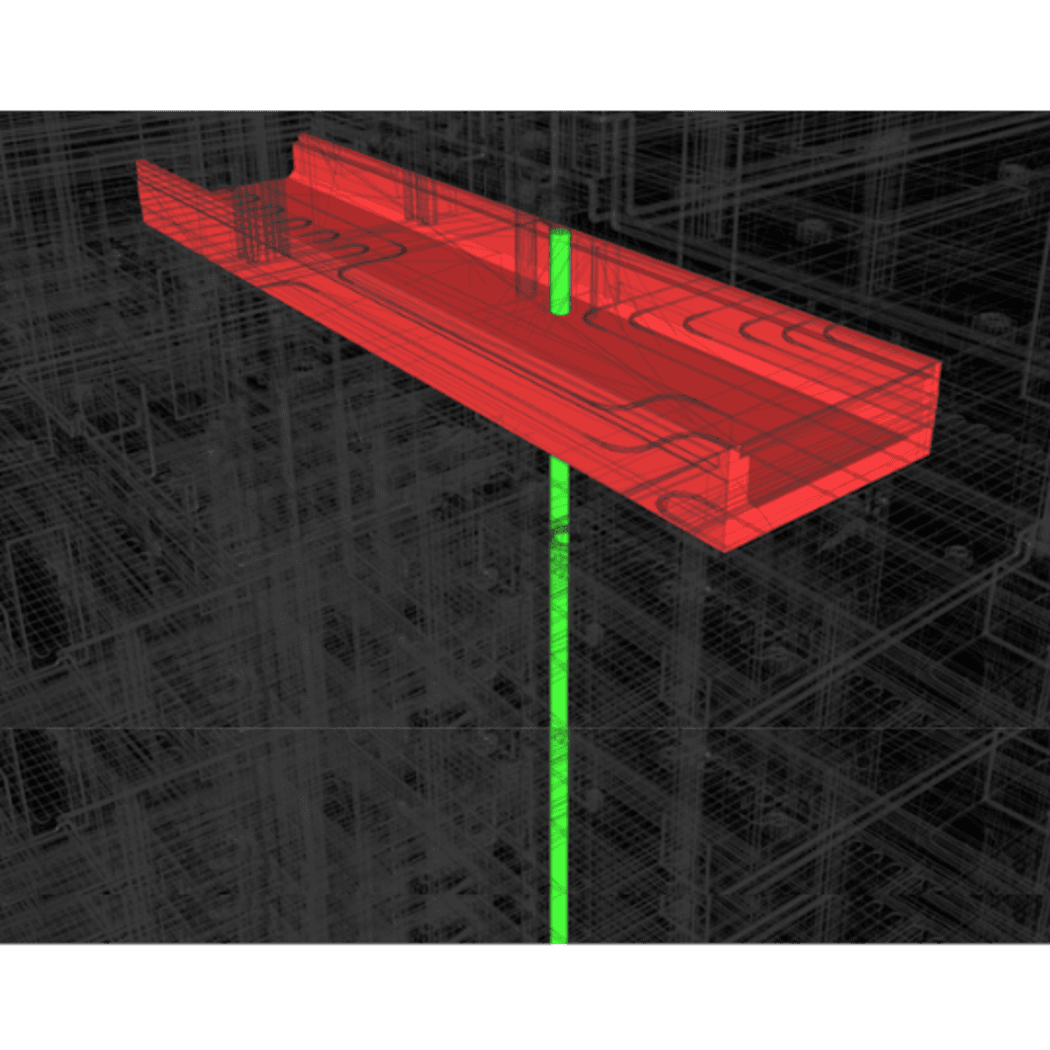
Clash detection identifies conflicts where building elements from different disciplines occupy the same space or violate required clearances — such as structural beams intersecting HVAC ducts, MEP services overlapping, or insufficient maintenance access around equipment. At nCircle Tech, we go beyond basic identification: our team performs hard and soft clash detection using advanced rule-based workflows, resolving all conflicts digitally before construction begins.

Coordination Process & Offerings

  • ASMEPF clash coordination — Architecture, Structure, MEP & Fire Protection in one workflow
  • Custom clash test creation — Discipline-specific rule-based validation tests
  • Severity-based clash reports — Conflict zones, priority ranking, and resolution guidance
  • Issue assignment & tracking — Structured delegation to responsible teams with accountability
  • Federated model management — All disciplines merged and synchronised in one environment
  • BIM Execution Plan (BEP) support — Coordination protocols aligned with project requirements

Benefits of Integrated Clash Detection

Prevent Costly Rework

Detect clashes early in the design phase, reduce change orders, and avoid on-site disruptions through accurate model coordination

Faster Project Execution

Automated clash testing, issue tracking, and cross-discipline alignment accelerate construction timelines and approval cycles.

Full Team Alignment

Navisworks, Revizto & BIM Track ensure transparent communication, quicker resolution, and a single coordinated model for all teams

Case Studies

Frequently Asked Questions

What is BIM-based Quantity Take-off and how is it different from manual take-off?
BIM-based QTO extracts material and element quantities automatically from the 3D model, using element parameters, geometry, and classification data. Unlike manual 2D take-off — which requires counting from drawings, is prone to human error, and must be redone for every revision — model-based QTO updates instantly when the design changes, is fully traceable to model elements, and covers all disciplines from one federated source.
How does 5D BIM improve cost estimation accuracy compared to traditional methods?
5D BIM links model quantities directly to cost data, so estimates are always based on the actual current design — not a static spreadsheet. When scope changes, cost impacts are recalculated automatically. This eliminates manual re-measurement, reduces estimating time significantly, and provides a live, auditable connection between design decisions and budget consequences.
What types of clashes are detected and how are they resolved?
We identify hard clashes (physical element collisions, such as a beam through a duct), soft clashes (clearance and maintenance space violations), workflow clashes (constructability and sequencing conflicts), and duplicate element clashes (model merge errors). Each clash is classified by severity, assigned to the responsible team, tracked to resolution, and verified in the updated federated model.
Which disciplines are covered in your clash detection and coordination workflow?
Our ASMEPF coordination covers Architecture, Structure, MEP (Mechanical, Electrical, Plumbing), and Fire Protection — all disciplines in one synchronised federated model environment. We use Navisworks Manage for automated clash testing, Revizto for real-time issue tracking, and BIM Track for resolution accountability and audit trails.
Can clash detection be run during the QTO and cost estimation process?
Yes — and this is precisely why we combine these services. A clash-clean model produces more accurate quantities (no duplicate or missing elements) and therefore more reliable cost estimates. We run clash detection before extracting quantities, and re-run it after any cost-driven design changes, ensuring the coordination cycle stays continuous throughout the project.
What outputs and file formats do you deliver?
QTO deliverables include Excel/CSV BOQs, NBS-format schedules, CostX and Candy-compatible exports, and revision-tracked quantity reports. Clash detection deliverables include Navisworks NWD/NWF files, clash reports in PDF and BCF format, issue registers via Revizto or BIM Track, and coordination meeting minutes. All outputs are formatted to client and project BEP standards.

Ready to Eliminate Cost Uncertainty and Construction Conflicts?

Partner with nCircle Tech for model-driven quantity take-offs, accurate cost estimation, and clash-free coordination — all from one integrated BIM workflow.